
Travel
How Much Mobile Data Do You Need in Japan for 7 or 14 Days?


For seven days in Japan, 3–5 GB is a sensible starting point for maps, messages, train searches and light browsing if you use hotel Wi-Fi for uploads. For 14 days, 5–10 GB suits many travellers with those habits. Start higher if you plan to watch video on trains, do frequent video calls or use your phone as a hotspot. These ranges are planning estimates. Your own usage history is a better guide if you already know how much data your phone uses away from Wi-Fi.
Start with a typical day on your itinerary
Picture a week split between Tokyo and Kyoto. In the morning you look up a train route. In the afternoon you translate a menu, message someone about dinner, and search for a shop near the station. If the photos you take throughout the day wait until you’re back on Wi-Fi, 3–5 GB is a reasonable range to consider. When comparing mobile data plans for Japan, check whether the seven-day option actually gets you through your departure day once the activation time is taken into account.
For two weeks across Tokyo, Kyoto and Osaka, give yourself more room for days when you’re out from breakfast until late. Around 5 GB can work for light use with reliable Wi-Fi at night. Ten GB gives you more room for browsing, social apps and the occasional upload. If your itinerary includes a stay in a rural inn, check its Wi-Fi before assuming you’ll have a connection every evening. Japan’s national tourism organisation notes that major airports offer free terminal Wi-Fi and that availability can vary at smaller accommodation. See Japan’s official connectivity guide.
Count the habits that change the estimate
Photos and video. Taking a photo uses your camera. Backing up a full album over mobile data can use a large chunk of your allowance. Set backups to Wi-Fi only and check whether your social apps autoplay video on mobile data.
Laptop tethering. A laptop can start syncing files or downloading updates the moment it sees a hotspot. If you expect to work from it, pause automatic syncing and check that your plan allows tethering. For regular video calls, streaming or repeated hotspot sessions, 20 GB or more can be a better starting estimate. Check recent usage before buying if work depends on that connection.
Maps and translation. Download maps of your main stops and any available offline translation packs before leaving. Keep live data for the moments when timing matters, such as looking up the next connection or finding a different entrance to a station. Check what your map app supports offline, since live transit updates still need a connection.
Match the expiry date to your flight home
At the time of writing, MobiSIM’s Japan eSIM plans list 3 GB, 5 GB and 10 GB for seven days, and 5 GB, 10 GB and 20 GB for 15 days. A 15-day option gives a 14-day trip some margin if it activates when you arrive. Look up the first-connection rule on the plan you buy and compare it with your flight times.
Install the profile on reliable Wi-Fi before departure if the provider recommends it, then select it for mobile data when you arrive and follow the roaming settings in the instructions. On the second or third day, look at how much data you’ve used. If you’re halfway through the allowance before you leave Tokyo, move uploads to Wi-Fi or check your top-up options while you still have data.

Midasit: Transforming Modern Engineering Through Advanced Structural Design Software

Celia Walden: The Remarkable Life, Journalism Career, Books and Marriage to Piers Morgan

Elena Ora: The Influential Creative Director and Manager Behind Rita Ora’s Global Success

Rhoda Walker: The Remarkable Life, Family Background and Influence of Graham Norton’s Mother

Katherine Mirren: The Untold Family Story, Teaching Career and Life of Helen Mirren’s Older Sister

Sandra Georgina West: The Remarkable Life, Family, and Influence of David Beckham’s Mother

Jackie Adams: The Inspiring Life, Family Background, and Influence Behind Victoria Beckham

How Much Mobile Data Do You Need in Japan for 7 or 14 Days?

Ciulioneros: The Truth Behind Its Meaning, Origins, History, and Growing Online Mystery

Zooville Explained: Understanding the Controversial Online Forum, Its Risks, and Digital Safety Concerns

Ronald Henry Brand: The Surprising Family Story of Russell Brand’s Father

Custom Wordle: The Ultimate Guide to Creating Fun and Challenging Word Puzzles

Aidan Keane: The Remarkable Story of Roy Keane’s Son, His Wedding, Wife and Family Life

Accessible Login Experiences: A Practical Checklist For Clearer, Safer Forms

Charlotte Searle: The Remarkable Story of Brendan Rodgers’ Wife, Her Career and Family Life

Park & Fly Long Term Parking: How to Book Early and Travel With Less Stress

Why Travelers Want Voice-to-Voice Translation Tools More Than Ever

Waste Bear Soulframe: Complete Quest Guide, Boss Fight Tips, and Bromius Pact Rewards

Allegra Sky Leguizamo: The Remarkable Journey of John Leguizamo’s Daughter from Acting to Filmmaking

Blazertje: The Ultimate Guide to Effortless Style, Modern Fashion, and Everyday Elegance
Midasit: Transforming Modern Engineering Through Advanced Structural Design Software
Celia Walden: The Remarkable Life, Journalism Career, Books and Marriage to Piers Morgan
Elena Ora: The Influential Creative Director and Manager Behind Rita Ora’s Global Success
Rhoda Walker: The Remarkable Life, Family Background and Influence of Graham Norton’s Mother
Katherine Mirren: The Untold Family Story, Teaching Career and Life of Helen Mirren’s Older Sister
Sandra Georgina West: The Remarkable Life, Family, and Influence of David Beckham’s Mother
Jackie Adams: The Inspiring Life, Family Background, and Influence Behind Victoria Beckham
How Much Mobile Data Do You Need in Japan for 7 or 14 Days?
Ciulioneros: The Truth Behind Its Meaning, Origins, History, and Growing Online Mystery
Zooville Explained: Understanding the Controversial Online Forum, Its Risks, and Digital Safety Concerns
-
 Destination Guides4 months ago
Beyond the Map: Discovering Haslhof in Italy and Bavaria
-
 Blog4 months ago
Beyond the Cages: How an Artificial Zoo Could Redefine Wildlife Travel
-

 Health1 month ago
How Dental Implant Quotes Are Built: A Practical Cost Guide for Maple Grove, Minnesota
-
 Adventure Travel2 months ago
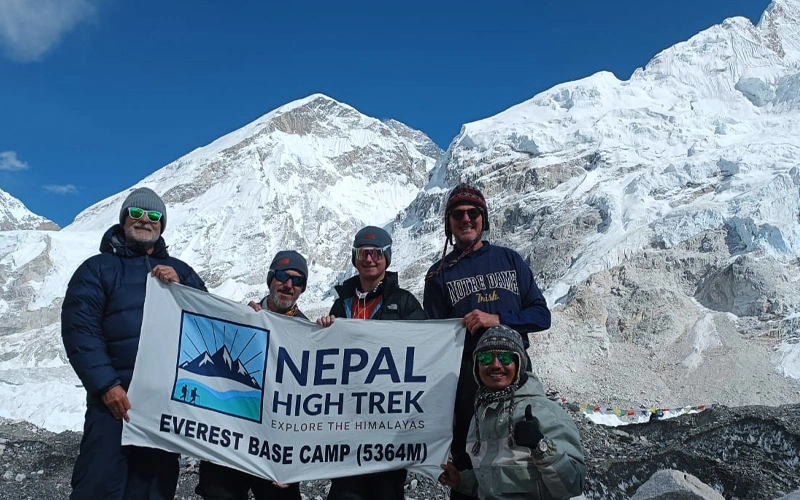
Everest Base Camp Trek vs Manaslu Circuit Trek: Routes, Difficulty, Costs, Altitude and Mountain Experience