Games
Blooket Play: The Ultimate Guide to Fun Learning, Joining Games, and Winning Strategies

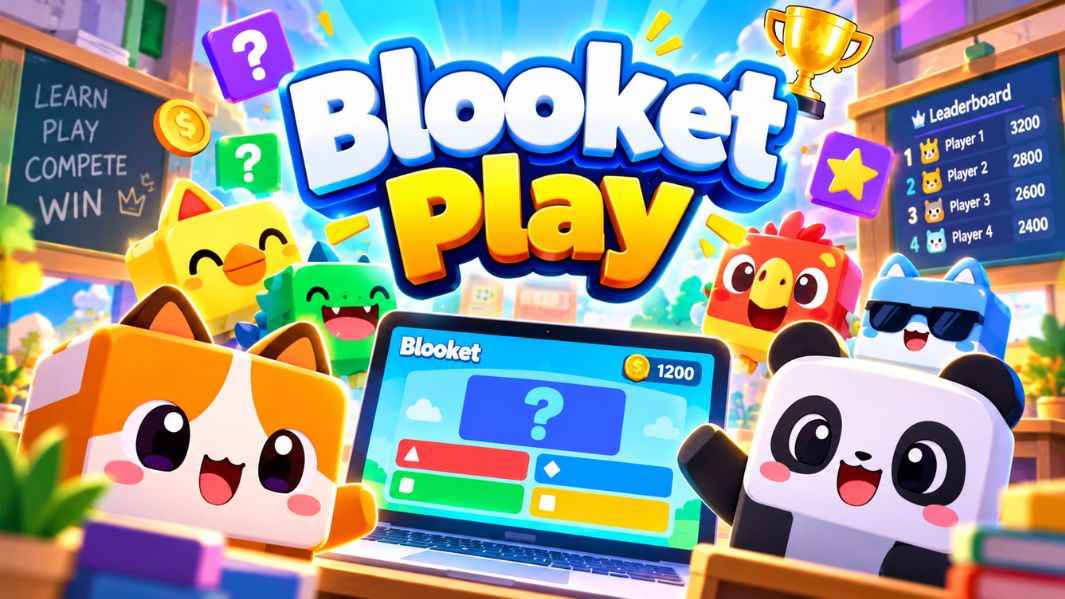
Blooket Play has become a popular way to make classroom learning more interactive, enjoyable, and engaging. Instead of relying solely on textbooks, traditional quizzes, and written exercises, students can play educational games that combine learning with entertainment. The platform encourages learners to answer questions, compete with classmates, collect rewards, and explore different challenges while reviewing important academic concepts.
One of Blooket Play’s most attractive features is its accessible design. Teachers can organize games for entire classrooms, while students can join live sessions using a game code. The platform also supports independent practice and homework activities, making it useful beyond regular classroom lessons.
This article explains how Blooket Play works, how to join and host games, its key features, educational benefits, and practical strategies to make learning more enjoyable.
What Is Blooket Play?
Blooket Play is an interactive educational gaming experience offered through Blooket, an online learning platform designed to make studying more entertaining. It combines traditional question-and-answer activities with creative game mechanics, letting students show what they know while competing in a friendly way.
The platform uses collections of questions known as question sets. These sets can cover mathematics, science, history, geography, language arts, and many other subjects. Teachers can create customized question sets or choose from existing educational materials available through the platform.
Unlike ordinary online quizzes, Blooket offers different game modes, each with its own objectives and challenges. Some games reward quick thinking, while others require strategic decisions and careful planning. This variety allows students to experience familiar educational topics in different ways.
Another distinctive feature is the use of Blooks, colorful characters that represent players. These characters strengthen the platform’s playful identity and give students an extra reason to participate.
How Does Blooket Play Work?
The basic concept behind Blooket Play is straightforward. A teacher or game host selects a question set and chooses a suitable game mode. The platform then creates a live session where participants can answer questions and complete challenges.
Students typically use their own devices, such as laptops, tablets, or smartphones. Once connected, they receive questions related to the selected topic. Correct answers help them progress through the game, though rewards vary by Mode.
For example, one activity might involve earning points by answering questions quickly, while another could require collecting resources or protecting a virtual structure. These different challenges make repeated revision sessions feel less repetitive.
Teachers can also review performance reports to understand better how participants performed. These insights can help identify difficult topics, highlight learning gaps, and guide future classroom instruction.
How to Join Blooket Play Using a Game Code
Joining a live Blooket game is relatively simple, even for students using the platform for the first time. Participants usually receive a unique game code from their teacher or the session host.
To begin, open the official Blooket Play joining page in a compatible web browser. Enter the game code the host provides and follow the on-screen instructions. Depending on the joining method, students may also join through a shared invitation or by scanning a QR code.
After joining, participants can enter an appropriate nickname or choose an automatically generated name. They can then select a Blook character to represent them during gameplay.
Students enter the waiting area until the host begins the session. Once the game starts, questions and activities appear according to the selected game mode.
Students don’t need to create an account to join a standard live game. This makes participation convenient for classrooms where students need quick access to learning activities.
How to Host a Blooket Play Game
Hosting a game allows teachers and other eligible users to organize personalized learning sessions. Start by signing in to a Blooket account and selecting an educational question set.
A host can choose questions from the platform’s existing collection or create a new set based on a particular lesson. After selecting the material, the host chooses a compatible game mode and adjusts the available settings.
These settings may include options related to game duration, participation, and gameplay rules. Once the session is prepared, the platform provides joining information that can be shared with students.
Participants enter the game lobby using their devices, allowing the host to see who has joined. When everyone is ready, the host starts the activity.
The ability to customize games makes Blooket Play for teachers particularly useful. A mathematics teacher might organize a multiplication challenge, while a history teacher could create a revision session focused on historical events.
Most Popular Blooket Play Game Modes
One of the platform’s greatest strengths is its collection of different game modes. Each Mode introduces its own rules, challenges, and educational possibilities.
Classic Mode offers a familiar quiz-based experience in which students answer questions, earn points, and compete for leaderboard positions. It is particularly suitable for straightforward classroom revision.
Gold Quest adds excitement through treasure collection. Players answer questions to earn chances to win gold, creating unpredictable competition that keeps participants engaged.
Tower Defense combines educational questions with strategic planning. Players use their progress to build defenses against approaching enemies, encouraging careful decision-making.
Racing Mode rewards fast and accurate answers as participants compete to reach the finish line. It works well for shorter learning sessions that require quick recall.
Monster Brawl introduces action-oriented gameplay, allowing players to develop abilities and progress through challenges while answering questions.
Café Mode involves serving customers and managing resources. Students answer questions to restock supplies and improve their virtual businesses.
Some modes are designed primarily for live multiplayer sessions, while others support solo play or homework. Certain additional modes require a paid subscription, and seasonal activities may appear for limited periods.
Can You Play Blooket Without a Teacher?
Yes, Blooket supports solo gameplay, allowing students to practice independently without joining a live classroom competition.
To play independently, users with suitable accounts can explore available question sets, select a subject, and choose a compatible solo game mode. This provides a convenient opportunity to review academic material outside scheduled lessons.
Solo play supports students who prefer to learn at their own pace. They can spend additional time on challenging topics without feeling pressured by classroom competition.
Teachers can also assign homework games that students complete independently. These assignments provide structured practice while keeping the platform’s entertaining elements.
By supporting both individual and group activities, Blooket creates flexible learning opportunities for different educational needs.
Educational Benefits of Blooket Play
Blooket Play’s popularity is closely tied to its ability to make educational activities more engaging. Interactive games can encourage active participation instead of simply listening to explanations or reading study materials.
One potential benefit is increased motivation. When students receive immediate feedback and see visible progress, they may be more motivated to keep going.
The platform also supports knowledge retention through repeated practice. Encountering similar questions across multiple sessions gives students opportunities to recall information and recognize areas requiring improvement.
Another advantage is the opportunity for classroom interaction. Multiplayer games can create shared experiences and friendly competition, especially when teachers set clear rules for respectful participation.
However, educational results depend on question quality, classroom management, and how well games support lesson objectives. Entertainment should complement meaningful instruction, not replace it.
Why Teachers Use Blooket in Classrooms
Teachers often look for practical ways to keep students engaged while checking their understanding of key topics. Blooket offers a flexible way to combine assessment activities with enjoyable gameplay.
A short game can introduce a lesson and help teachers see what students already know. Alternatively, a game at the end of a lesson can reinforce recently introduced concepts.
Teachers can also use the platform for formative assessment by reviewing student responses to identify areas that need further explanation.
Custom question sets offer additional flexibility because educators can align activities with specific topics, learning objectives, and classroom requirements.
For best results, teachers should choose suitable game modes, explain the rules clearly, and keep participation supportive rather than overly competitive.
Best Tips to Improve Your Blooket Play Experience
Enjoying Blooket matters, but students can improve their learning experience by adopting a few practical habits.
First, focus on answering accurately rather than choosing responses at random. Understanding the material is more valuable than winning a single game.
Second, review unfamiliar concepts before participating in a competitive session. Even a short revision period can make answering questions easier.
Third, explore different game modes. Switching between quiz-based activities and strategy challenges can help maintain interest during repeated practice.
Students should also review incorrect responses and revisit topics they find difficult. Learning from mistakes can make future sessions more productive.
Finally, remember that classroom games are intended to support learning. Respect other participants, follow the teacher’s instructions, and maintain a positive attitude regardless of the final score.
Common Blooket Play Problems and How to Fix Them
Although Blooket is designed to be accessible, users may occasionally experience technical difficulties.
An invalid game code is one of the most common problems. Students should check that the code was entered correctly and confirm that the host’s session is still available.
Connection difficulties can also prevent participants from joining. Checking the internet connection, refreshing the browser, or trying a compatible browser may resolve minor issues.
Browser extensions, filtering software, and school network restrictions can sometimes interfere with platform functionality. In school environments, students should ask their teacher or authorized technical support staff for assistance rather than attempting to bypass restrictions.
If a game won’t start, participants should check whether the host has started the session.
Keeping devices updated and using a stable internet connection can help create a smoother experience.
Is Blooket Play Free and Safe to Use?
Blooket Play offers a free Starter experience, including question-set creation, discovery tools, and access to a selection of game modes.
Users who require additional capabilities can consider Blooket Plus, which offers features such as expanded reporting, certain exclusive game modes, and larger participant limits. The Starter plan supports up to 60 players in many live game modes, while Plus supports larger sessions in compatible modes.
For younger students, responsible participation remains important. Teachers and parents should encourage appropriate nicknames, avoid sharing unnecessary personal information, and supervise online activities when needed.
Creating an individual account depends on Blooket’s age requirements, but joining a standard live game does not require student registration.
These considerations help make educational gaming more manageable in classrooms and at home.
Conclusion
Blooket Play offers an engaging approach to educational revision by combining interactive questions, creative challenges, and flexible learning options. Its different game modes allow students to experience familiar subjects in enjoyable ways, while teachers can use customized activities to reinforce lessons and assess understanding.
The platform’s straightforward joining process, solo practice options, and classroom hosting features make it useful in a variety of learning environments. Whether students are revising mathematics, exploring scientific concepts, or preparing for examinations, Blooket can provide additional opportunities for active participation.
Ultimately, Blooket Play’s greatest value comes from balancing entertainment with genuine educational progress. Used thoughtfully, it can turn ordinary revision into more motivating, memorable learning experiences.
Frequently Asked Questions About Blooket Play
1. How Do I Join a Blooket Play Game?
Open the official Blooket joining page, enter the game code your teacher or host provides, choose a nickname and Blook character, and wait for the session to begin. You may also join through an invitation link or QR code.
2. Is Blooket Play Completely Free?
Blooket provides a free Starter plan with various educational features and game modes. However, certain additional modes, advanced reports, and other capabilities are available through the paid Blooket Plus subscription.
3. Can Students Use Blooket Play Without Creating an Account?
Yes. Students can join standard live games without creating an account. Individual accounts offer additional features, such as progress tracking, collecting Blooks, and independent gameplay, subject to account eligibility requirements.
4. What Are the Best Blooket Game Modes for Learning?
Classic, Gold Quest, Racing, Tower Defense, and Café are useful choices depending on the learning objectives. Classic supports straightforward quizzes, while other modes introduce strategy, competition, or resource management alongside educational questions.
5. Can Blooket Play Help Students Improve Their Grades?
Blooket can support revision, engagement, and knowledge recall when used alongside effective teaching and regular study. However, playing educational games alone does not guarantee higher grades. Improvement depends on consistent practice, accurate feedback, and understanding the subject matter.


Top 6 Companies to Book Vietnam Tour Packages

Claire Nicholson: The Remarkable Story of Les Dennis’s Wife, Career and Family Life

Ronald Henry Brand: The Surprising Family Story of Russell Brand’s Father

John Britton: The Fascinating Story of Connie Britton’s First Husband, Career and Private Life

Play Blooket: The Ultimate Guide to Fun Learning, Game Codes, and Winning Strategies

Blooket Play: The Ultimate Guide to Fun Learning, Joining Games, and Winning Strategies

Gabrielle Haaland: The Remarkable Life of Erling Haaland’s Sister and Viral World Cup Sensation

Aidan Keane: The Remarkable Story of Roy Keane’s Son, His Wedding, Wife and Family Life

Theresa Doyle: The Inspiring Story of Roy Keane’s Wife, Marriage, and Private Family Life

Charlotte Searle: The Remarkable Story of Brendan Rodgers’ Wife, Her Career and Family Life

Everest Base Camp Trek vs Manaslu Circuit Trek: Routes, Difficulty, Costs, Altitude and Mountain Experience

Classroom 15x: The Ultimate Guide to Free Online Games, Features, Benefits, and Safe Gaming

How Dental Implant Quotes Are Built: A Practical Cost Guide for Maple Grove, Minnesota

Crackstube Explained: A Complete Guide to Its Features, Content, Safety, and Digital Publishing Platform

Startup Booted Fundraising Strategy: A Powerful Guide to Smart Funding and Sustainable Business Growth

Jeremy Yaffe: The Remarkable Untold Story of Alan Arkin’s First Wife and Her Life Beyond Hollywood

Provascin: A Complete Guide to Its Ingredients, Potential Benefits, Uses, and Safety

HMJones.net Explained: A Complete Guide to Business Loans, Funding Options, and Smarter Financial Decisions

ABS Testauslösung: Bedeutung, Funktion, häufige Fehler und wichtige Sicherheitstipps

Pedal And Post Collapse: The Shocking Closure of Oxford’s Pioneering Green Delivery Company
Top 6 Companies to Book Vietnam Tour Packages
Claire Nicholson: The Remarkable Story of Les Dennis’s Wife, Career and Family Life
Ronald Henry Brand: The Surprising Family Story of Russell Brand’s Father
John Britton: The Fascinating Story of Connie Britton’s First Husband, Career and Private Life
Play Blooket: The Ultimate Guide to Fun Learning, Game Codes, and Winning Strategies
Blooket Play: The Ultimate Guide to Fun Learning, Joining Games, and Winning Strategies
Gabrielle Haaland: The Remarkable Life of Erling Haaland’s Sister and Viral World Cup Sensation
Aidan Keane: The Remarkable Story of Roy Keane’s Son, His Wedding, Wife and Family Life
Theresa Doyle: The Inspiring Story of Roy Keane’s Wife, Marriage, and Private Family Life
Charlotte Searle: The Remarkable Story of Brendan Rodgers’ Wife, Her Career and Family Life
-
 Blog3 months ago
Beyond the Cages: How an Artificial Zoo Could Redefine Wildlife Travel
-
 Destination Guides3 months ago
Beyond the Map: Discovering Haslhof in Italy and Bavaria
-
Adventure Travel4 weeks ago
Everest Base Camp Trek vs Manaslu Circuit Trek: Routes, Difficulty, Costs, Altitude and Mountain Experience
-
 Entertainment3 weeks ago
Classroom 15x: The Ultimate Guide to Free Online Games, Features, Benefits, and Safe Gaming